Nobody but you can open it
Photos, videos and documents, encrypted on your device with your passphrase and a key that physically cannot leave it. There is no account, no server and no sync — so there is nobody to breach and no operator who could read your files if they wanted to.
macOS 14 or later · iOS 17 or later · one purchase, no subscription
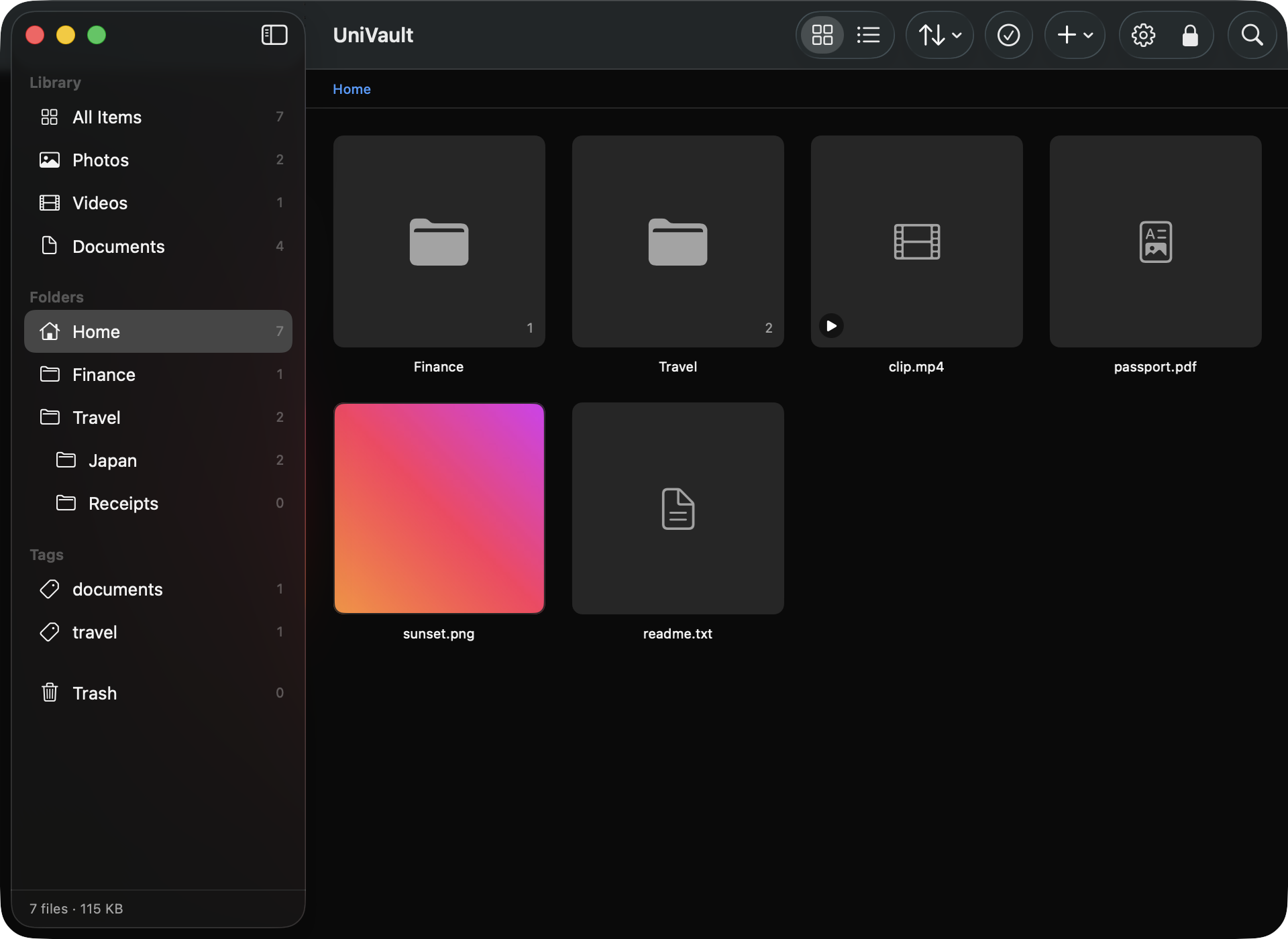
They encrypt your files. They also hold the keys.
Google Drive, Dropbox and OneDrive all encrypt your files at rest and in transit. The provider can still technically read them, and can be compelled to. That is not a flaw in their engineering — it is what holding the keys means.
UniVault is zero-knowledge by construction rather than by policy. The key is derived on your device, and one of its two factors physically cannot leave the machine. There is no server component at all — which is also why it cannot sync, cannot share a link, and cannot recover a forgotten passphrase. Everything it lacks is a consequence of that one choice.
How it actually works
Most privacy apps will not explain this, which is the main reason people are right not to trust them.
Device slot
Your passphrase
PBKDF2-HMAC-SHA256
Secure Enclave key
P-256 ECDH · cannot leave the chip
Unwraps the vault key
Never stored — re-derived at every unlock
Recovery slot
Your passphrase
the same one
Recovery key
160 random bits · shown once
Unwraps the vault key
Never stored — re-derived at every unlock
One vault key
256-bit, stored only wrapped, held in memory only while unlocked
A separate key for every file
derived from the vault key — no two files share one
One key per file
Every vault has one random 256-bit key, and each file is encrypted with its own key derived from it, so no two files share one. That key is never written to disk unwrapped, and it exists in memory only while the vault is open — it is zeroed when you lock.
Tamper-evident, not just unreadable
Files are encrypted in chunks, so a two-hour video encrypts in constant memory. Each chunk is bound to its file, its type and its position, and a sealed trailer commits to how many chunks there should be. Reordering chunks, dropping the end of a file or splicing one in from elsewhere all produce a file made entirely of genuine ciphertext — and all of them are rejected.
No home-made cryptography
Every primitive comes from Apple’s CryptoKit and Security frameworks: AES-256-GCM, HKDF-SHA256, PBKDF2-HMAC-SHA256, and P-256 ECDH inside the Secure Enclave. Inventing your own is the classic mistake in this category and we did not make it.
The same vault, on the phone
Not a viewer and not a companion app. The same library, the same lock, and the same three ways out if you cannot get in.
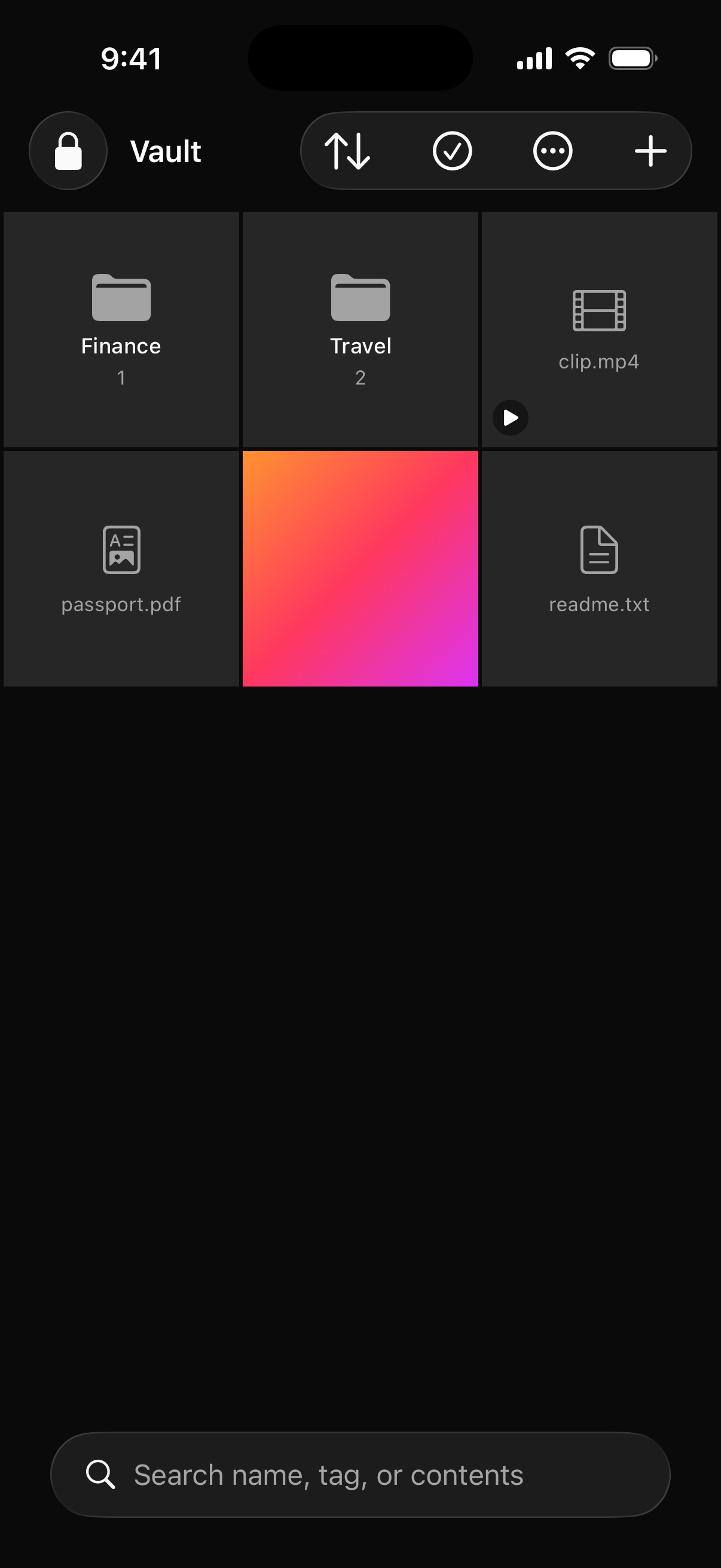
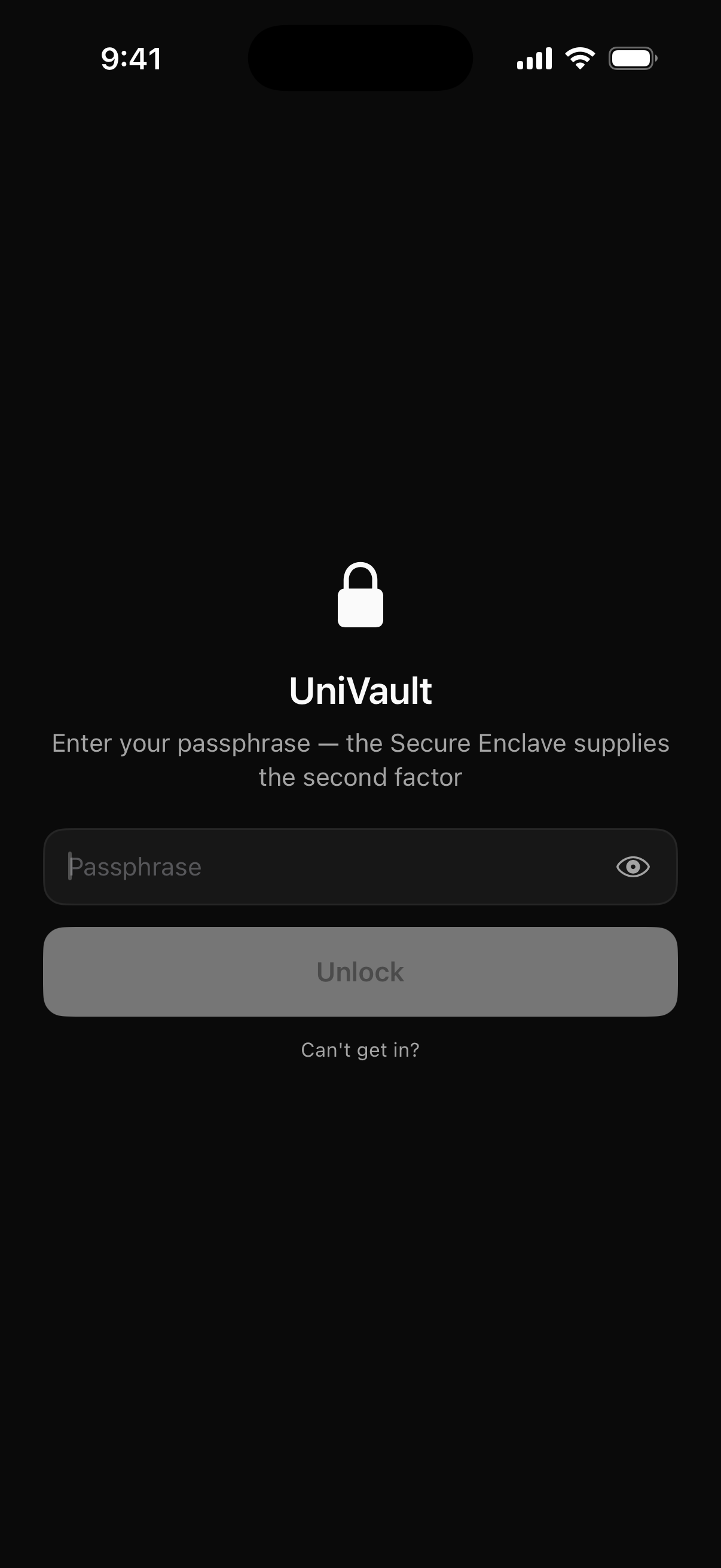
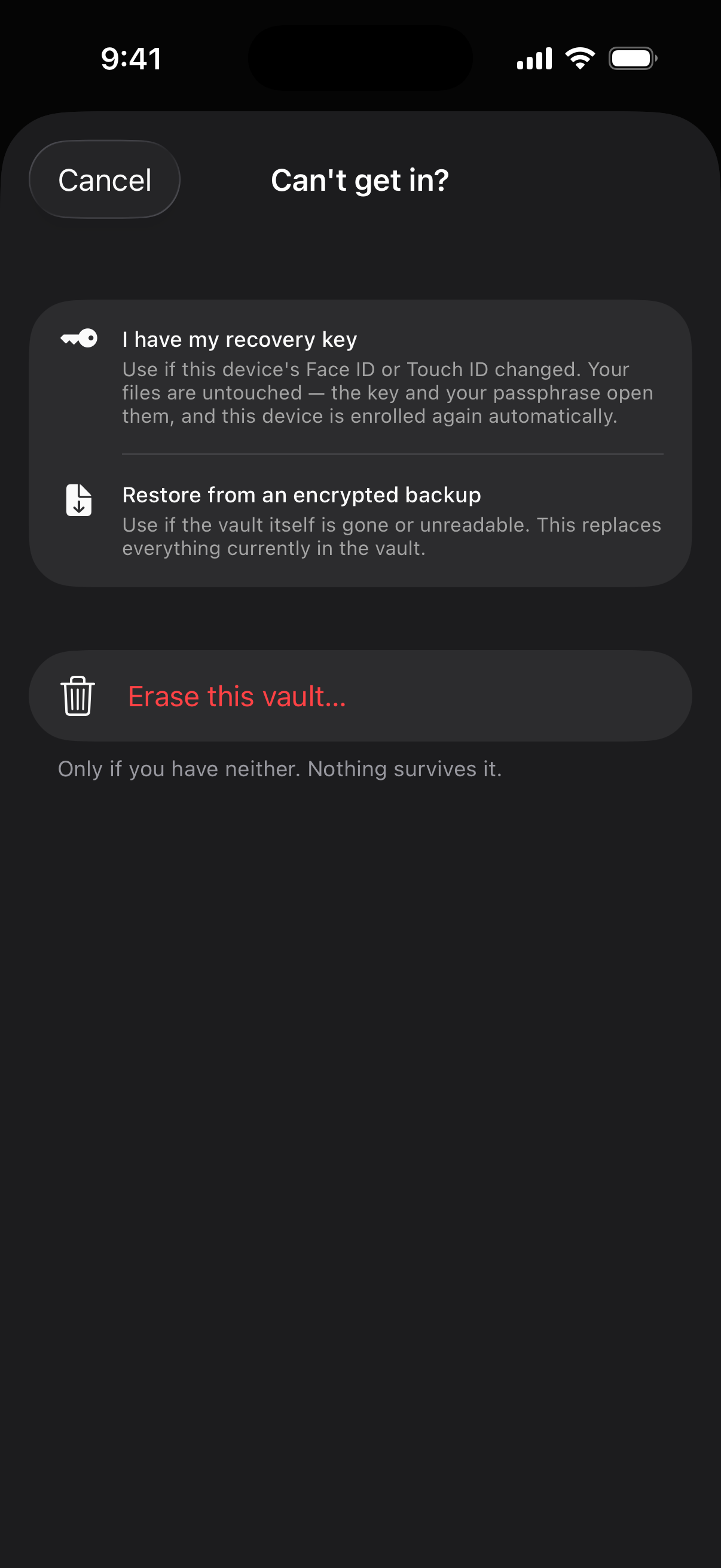
The recovery key, and the bargain it represents
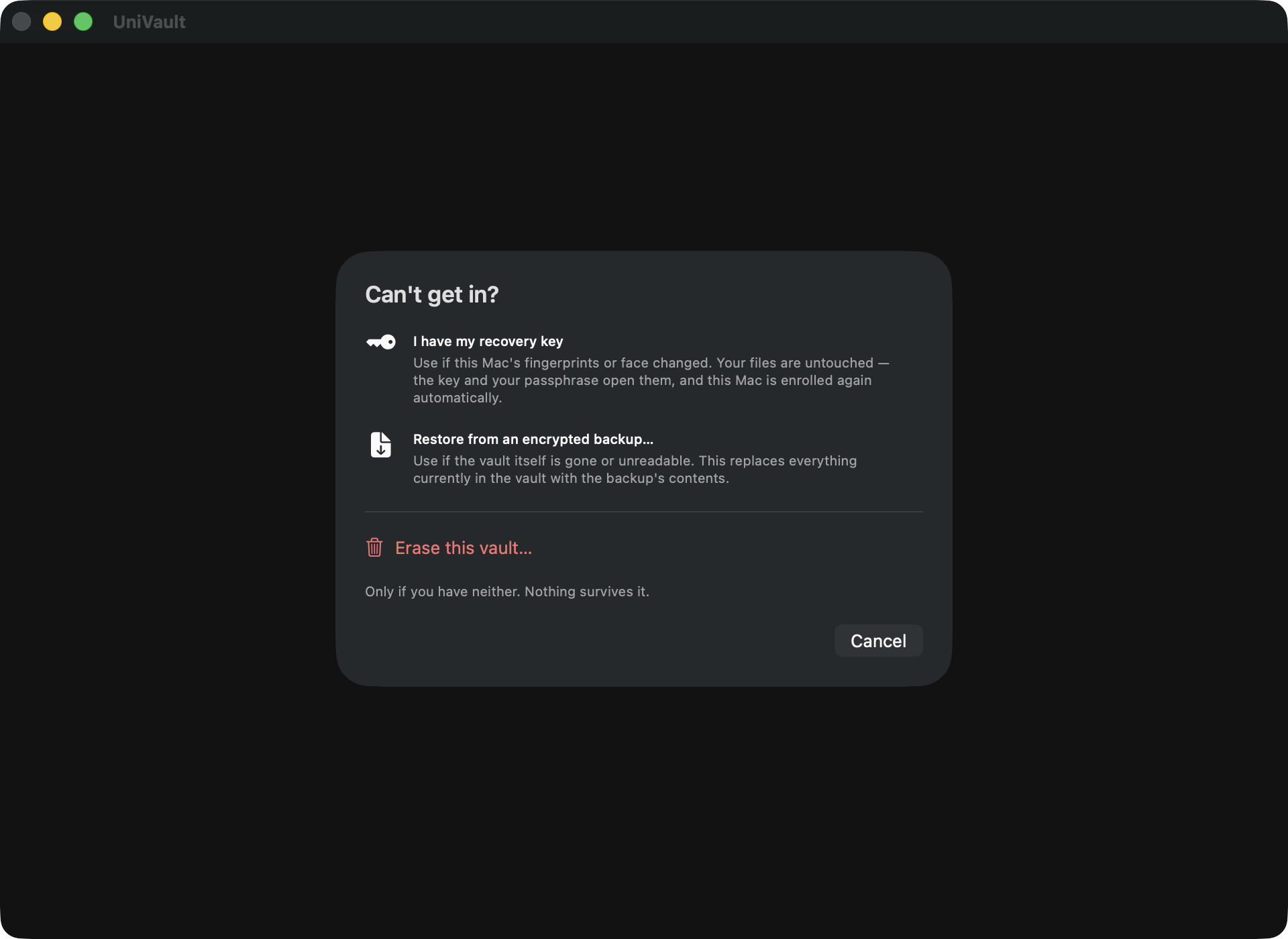
The Secure Enclave key is bound to the fingerprints enrolled when it was created. Add or remove one and the system destroys that key — good against coercion, catastrophic by accident. It used to mean an ordinary Settings change could make a vault unreadable for ever, correct passphrase and all.
Device slot
Passphrase + Secure Enclave key
Every normal unlock.
Recovery slot
Passphrase + recovery key
After the device key is destroyed.
- 1
- 2
- 3
The recovery key survives a fingerprint change. Nothing survives a forgotten passphrase.
There is no passphrase reset, because there is nobody holding a copy to reset it against. There is also an opt-in passphrase-only mode with nothing to keep — at a real cost: a copied vault could then be attacked offline with nothing but your passphrase.
It still has to be a good file manager
An encrypted folder you dread opening does not get used, and an unused vault protects nothing.
Folders and tags that behave
Real nested folders with drag to move and per-folder counts including subfolders. Tags cut across them, so a file lives in one folder but carries as many tags as you like.
Search inside your documents
Text is extracted from documents and PDFs on the device, and the index is encrypted like everything else. Delete a file and its contents stop being findable, because the postings die with it.
Trash and version history
Put-back restores to the original location. Replacing a file keeps the previous contents encrypted and restorable — and restoring is itself undoable.
Nothing to find
The container is marked so Spotlight has nothing to index: searching a filename returns nothing. It is excluded from Time Machine and iCloud backups, and no plaintext ever leaves.
Locks itself
On inactivity, on backgrounding, and when the Mac sleeps or the screen locks. On iPhone an opaque cover goes up before iOS takes its app-switcher snapshot, so your photos never appear in it.
Previews that never touch disk
Images, PDFs and text render in memory. Other formats use a scratch copy that is deleted the moment you close it or the vault locks.
On the Mac
Drag in from Finder, or ⌘I. Native SwiftUI, one universal build for Apple silicon and Intel, signed and notarised for direct download.
- A fingerprint change no longer costs you the vault. Unlock with the recovery key and your passphrase, and the app re-enrols the device in the same session — Touch ID works again next time.
- A stolen copy of the vault folder is still useless. Both slots need something the thief has not got.
- Changing your passphrase issues a new recovery key, because the old one was derived against the old passphrase. The app shows you the replacement rather than swapping it silently.
On iPhone and iPad
Import from Photos or Files — or capture straight into the vault, which is the most private route, because the media never enters your photo library at all.
- Encrypted disk image mode — when locked, there is no folder to find
- A working calculator that reveals the unlock screen only on a secret code
- Both are direct-download only; the App Store build is sandboxed
Side by side
Including the rows where the others win. Accurate as of August 2026.
| UniVault | Google Drive | Dropbox | OneDrive | |
|---|---|---|---|---|
| Provider can read your files | No — no server exists | Yes | Yes (no on Business E2EE) | Yes |
| Encrypted before leaving device | Always | Only with Workspace CSE | Business tier | No |
| Works fully offline | Always | Partial | Partial | Partial |
| Search inside documents | Yes, on-device | Yes, server-side | Yes, server-side | Yes, server-side |
| Sync across devices | No — an encrypted export you make yourself | Yes | Yes | Yes |
| Share a link | No | Yes | Yes | Yes |
| Storage limit | Your disk | Quota | Quota | Quota |
| Cost | One purchase, no subscription | Subscription | Subscription | Subscription |
| Can hide that the data exists | Yes, direct download | No | No | No |
Things you can check
No accounts, no servers, no telemetry, no analytics, no ads
The app opens no network connections of its own. The one exception, stated for completeness: StoreKit talks to the App Store to handle the purchase. No file content is involved, and no cryptographic function depends on it.
421 automated tests
Including adversarial ones that take a real encrypted blob apart and reassemble it wrongly, to prove the reassembly is rejected rather than quietly accepted.
A published threat model
It states plainly what the product does not defend against. That is a stronger signal than any list of what it does — and it is the document worth reading before you trust this with anything that matters.
Guessing is expensive on purpose
Failed unlocks feed an exponential backoff, from 30 seconds up to an hour, kept in the keychain rather than the vault folder — so deleting the folder does not reset it. A cancelled Touch ID prompt is not counted as a failure.
UniAuth Inc., 131 Continental Dr, Ste 305, Newark, DE 19713-4324, USA. Contact id@uniauth.id. Export classification 5D992.c, self-classified mass-market cryptography.